
Construction Reporting Software Built to Keep Every Project on Track
Every construction business runs on information: who's online today, what equipment is being used and where, and how a project's cost compares to budget. The problem is that this information is in different places: a spreadsheet here, a text message there, a stack of paper forms in a truck. The figures are already out of date by the time they are assembled.
This is the software made to fill the gap in construction daily reports. Instead of chasing field updates at the end of the day, teams record labor hours, equipment use, delays, and site conditions as they happen, turning them into a clean, shareable report. That daily reporting becomes something bigger, connected to the rest of your business. Construction reporting software gives owners, project managers, and office staff one view of the business they can trust. Yardz Construction's daily report software was designed around this idea: the ability to manage rented and owned assets in one portal so reports are never pieced together from multiple systems, so you can find what you need fast, when you need it.
Challenges Our Construction Reporting Software Solves
Before we consider what effective construction reporting software should do, it helps to understand why reporting is such a persistent headache on construction projects in the first place.
Delayed Reporting
Site supervisors often have to assemble the events of the day hours after work has ended, relying on their memories rather than real and current data.
Bottlenecks Late Updates
When field updates are late, invoicing, scheduling, and decision-making all grind to a halt as the office waits for information to catch up.
Scattered Project Data
Job costs, labor hours, and equipment usage are spread across spreadsheets, paper forms, and disconnected systems, leading to errors and inconsistencies.
Lost Photos and Field Evidence
Paper-based methods often fail to capture the full picture of site conditions, losing valuable context and progress photos.
Overload of Manual Tracking
Without a common system, supervisors are busy chasing crews and subs and not managing the actual work.
Limited Cost Visibility
Without a live line to project the data, you don’t know you’re heading toward a budget or rental overage until it’s too late.
Advantages of Construction Reporting Software
Moving from manual, paper-based updates to a connected construction reporting software system changes how a construction business operates day to day. Teams get a live, accurate picture of every project, cost, and asset all in one place, instead of chasing numbers after the fact.
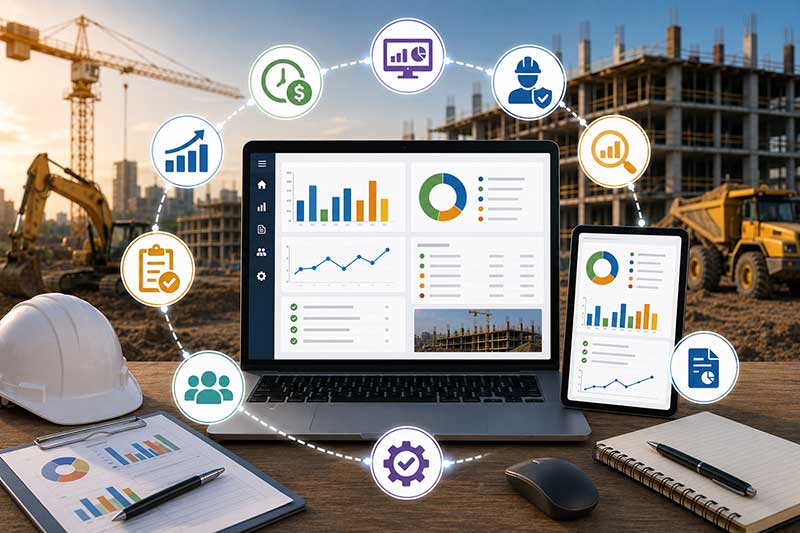
Managers have the status of projects, costs, and asset activity as it’s happening, not waiting for delayed updates from the field or office.
Field data is collected once and flows directly into the report, eliminating the need to re-key the same numbers across several disconnected tools.
All job costs, budgets, and asset usage are in one place so teams can catch overages early before they become costly surprises.
Supervisors spend less time dealing with paperwork at the end of the day and more time actively managing the work taking place in front of them.
Every report, approval, and update is time-stamped and traceable so teams have a reliable record for internal review, client questions, or compliance audits.
When companies have clean usage and cost data, they can make an educated guess about whether they should keep renting equipment or buy it out.
Daily Construction Report Software Features
A good construction reporting software platform should bring together multiple types of reporting so that no bit of information is stranded in its system.
Project Forecasting
Rental rates are automatically pulled from vendor data to create a rolling project budget that updates as start dates, end dates, and rates change.
Fuel Delivery Logs
Field teams record fuel deliveries on utilization or inspection forms, providing the office with real-time visibility on which assets are fueled and how often.
Asset Utilization Reports
Know what assets you own and rent that are actually in use and for which projects so you can decide what to keep on rent and what to return.
Rent/Buy Analysis
Compare the cost of continuing to rent an asset against the purchase price to determine if it makes more economic sense to keep renting or to purchase the asset outright.
Daily Field Data Capture
Record work done, worker hours, site conditions, delays, and safety notes directly from the field with supporting photos.
Cost, Overage, and Variance Monitoring
Monitor costs, overages, and variance to budget in real-time so you can ensure that every project stays financially on track from beginning to end.
Dashboards & Customized Reports
Configurable dashboards enable operations, accounting, and executive teams to view the most relevant information for their role.
File & Photo Attachments
Attach photos, documents, and supporting files directly to reports and store them in the cloud, attached to the record they support.
The Construction Reporting Software Process
The good construction daily report software has the same basic rhythm: get it close to the source, format it the same way, route it for approval, then make it visible to whoever needs to see it next. The flow from raw field activity to a finished, usable report usually follows a fairly consistent pattern.
Build Your Reporting Structure
Specify the fields your team needs to record, including project details, site conditions, worker information, equipment usage, and space for photos and notes.
Record Information At The Job Site
Field crews and supervisors record activity, hours, deliveries, and site conditions in real time from a phone or tablet as work takes place.
Self-populated Reports
Reports and dashboards are automatically updated with rental rates, utilization data, and field updates, eliminating the labor-intensive task of repetitive manual data entry.
Approve & Review
Supervisors and project managers carefully review each report, supplement missing background information, and sign off on the report’s accuracy prior to its finalization and dissemination.
Share With The Right People
Reports and dashboards are sent to office staff, project managers, and ownership simultaneously, ensuring all stakeholders use the same up-to-date, reliable information.
Practical Insights
Staffing and equipment decisions are based on real, current data from the field, not guesswork or old handwritten notes.
Who Construction Reporting Software Is For
Construction reporting software is for everyone that is responsible for monitoring cost, progress, and activity between people, equipment, and job sites.
Construction Contractors
Automatically track project costs, labor hours, and equipment usage across many concurrent projects and job sites.
Electrical Contractors
They keep tabs on service van activity, installation status, and crew hours to ensure every job accurately reports from the field.
Mechanical Contractors
Report on the condition of equipment, status of work orders, and costs of jobs associated with active installations at each site.
Civil Contractors
Develop clear progress and utilization reports for crews and equipment located on large, remote infrastructure projects.
Industrial Contractors
They use operational risk monitoring to report on shutdown planning, equipment condition, and worker activity at industrial sites.
Specialty Trade Contractors
More insight into costs and equipment that can move from job site to job site, with consistent reporting across the country.
How Construction Reporting Software Ties Operations Together
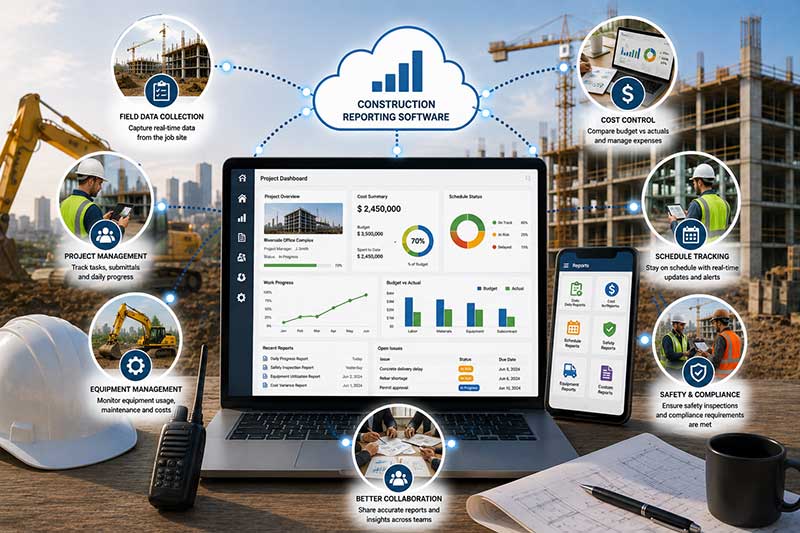
At most job sites, tools, equipment, materials, and personnel are all moving at the same time, and every move generates data. It feeds them into a single reporting layer for a live, connected view of the entire operation. This is the real purpose of construction reporting software. It not only makes reports but also connects all aspects of the business.
Tools & Equipment
Every checkout, transfer, and rented asset is linked to a project, showing exactly what is assigned where, to whom, and for how long.
Field to Office
Labor hours, site conditions, and delays flow directly from the crew to the office so nothing is reconstructed from memory or delayed by a phone call.
Costs & Usage
Rental rates, fuel logs, and utilization data flow directly into cost reports, so budgets and overages are based on actual activity rather than rough estimates.
Team Accountability
Assigning tools, work orders, and daily reports to specific people and projects makes responsibility clear and issues easy to trace.
Data to Decisions
Reporting pulls live tool, asset, and project data so managers can identify cost overruns and utilization trends before they become issues.
Shared Records
Rental data, owned asset records, and field reports all feed the same system, so no project depends on a single person's notes.
Ready to Bring Your Reporting Under One Roof?
Cease trying to assemble reports from spreadsheets, paper forms, and isolated systems. With Yardz, your rented and owned assets, daily field data, and cost reporting all live in one platform, so you always know where your projects, your budget, and your equipment stand.
Schedule a demo today and see how Yardz’s construction reporting software unifies your operations.